

For me
I am visiting or listening
If the venue provides no TalkLens broadcast, start a personal session when recording is allowed. Follow the guide or commentator with live captions or translation and keep your own notes.
Organizers and venues can share live captions and translation with a group. Individual guests can also start TalkLens themselves for a personal caption experience.
Free AI credits on signup. No card required.
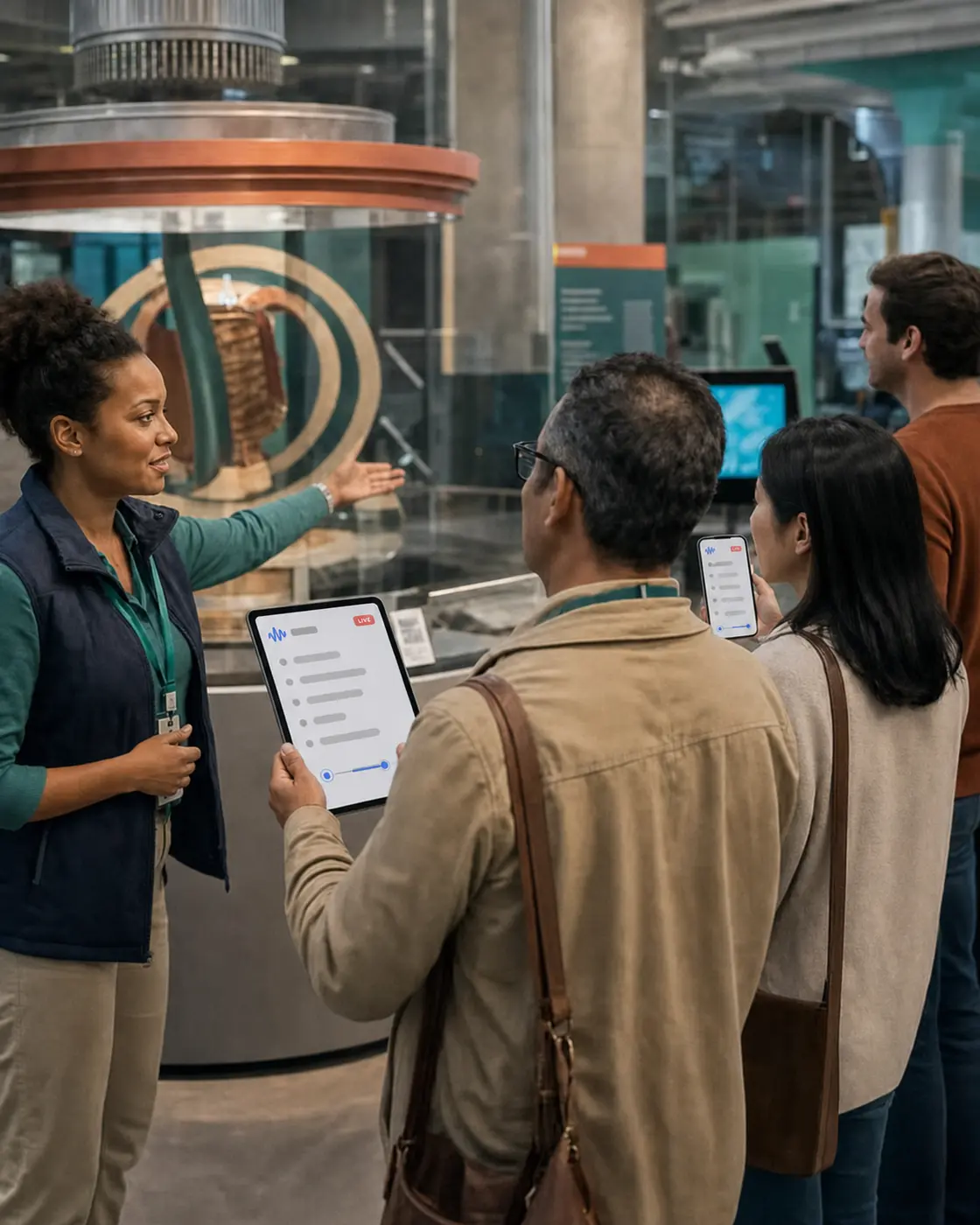
Guests may be standing at the back, looking at the object being discussed, moving between spaces, processing an unfamiliar language, or trying to hear over the surrounding environment. Live commentary rarely gives them a chance to catch up.
TalkLens creates live captions that move with the audience. A venue can provide them to the group, or an individual guest can create them for themselves. The person who records can keep a transcript for later review.
If the venue provides no TalkLens broadcast, start a personal session when recording is allowed. Follow the guide or commentator with live captions or translation and keep your own notes.
Start TalkLens near the guide or commentator and share the broadcast link or QR code. Guests can follow live captions and translation from their own devices while you keep a session record.
TalkLens uses automated transcription and translation, which may contain errors. Check the venue's policy, notify participants, and obtain any consent required before recording. Privacy Policy
Join a venue-provided broadcast or bring personal live captions without gathering around one display.
Let guests follow the commentary in a supported language.
Capture the prepared story as well as questions, clarifications, and moments that make each live experience unique.
Generate a summary, locate key explanations, and share a saved transcript with the intended audience when appropriate.
Check the venue's policy and ask permission when required. Start TalkLens on your own device and use personal captions or translation as you move with the group.
Afterward, review your transcript and notes for personal use. Do not republish the guide's content unless you have the rights and permission to do so.
Open TalkLens on a device positioned to hear the commentary. Choose a shared translation language, or enable viewer language selection so guests can choose a supported language using the host's AI credits. Begin recording with notice and consent.
Display the join QR code at the entrance, meeting point, program, or opening slide. Guests follow the live captions in their browsers.
Afterward, review the transcript, verify important names and facts, create notes, and share the saved recording if you have the rights and permission to do so.
The same product, whichever side of the room you are on.
See captions and translation while the words are still being spoken — whether you started the session or joined someone else's.
Keep the recording, transcript, summary, key points, action items, glossary, and review questions together.
Search by meaning, or ask questions about what was said.
Start TalkLens on your own device when no host-provided caption experience is available.
As the host, broadcast live captions or share a saved recording with a link.
No. Guests can use a phone or other web-capable device to open the guide's broadcast or start their own permitted TalkLens session.
When recording is permitted, an individual guest can start TalkLens for personal live captions, translation, and notes. The guide does not need to provide a broadcast.
Results depend on the audio that reaches the recording device. Keep the microphone close to the guide or use an appropriate device setup for the environment.
For a personal session, the user selects the translation language. For a shared broadcast, the host can choose one shared language or enable viewer language selection. When viewer selection is enabled, guests can choose a supported language and the usage is billed to the host's AI credits.
Use it as source material, not as a finished authoritative text. Review names, dates, quotations, and other factual details before publication.
Automated captions can be a helpful support, but they may contain errors. Use qualified human captioning, interpretation, or other required services when a guaranteed accommodation is needed.
Use TalkLens as the organizer, the venue, or the person following along.
Free AI credits on signup. No card required.