

For me
I am in the audience
If no broadcast is available, use TalkLens on your own device with permission. Follow the speech with live captions or translation and keep personal notes to revisit later.
Hosts can broadcast live captions and translation during speeches, town halls, and Q&A. Audience members can also use TalkLens independently when no broadcast is provided.
Free AI credits on signup. No card required.
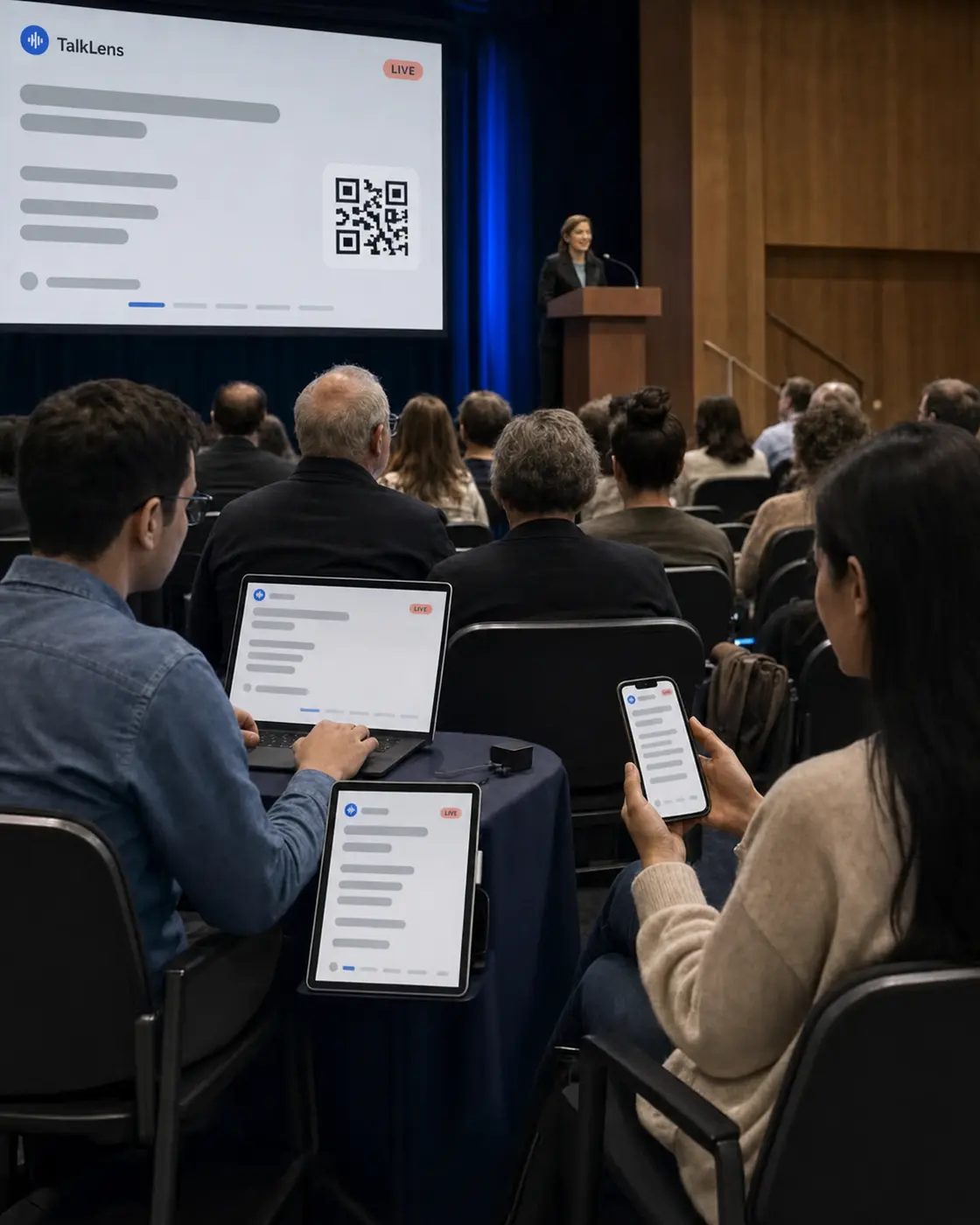
People miss parts of a public speech for all kinds of ordinary reasons: a late arrival, a noisy room, an unfamiliar term, a momentary distraction, or a language difference. In a live setting, there is no rewind button.
TalkLens turns the talk into live captions as the message unfolds. An organizer can provide those captions to the room, or a listener can create them for their own use. When the event is over, the person who recorded can review and search the transcript.
If no broadcast is available, use TalkLens on your own device with permission. Follow the speech with live captions or translation and keep personal notes to revisit later.
Start the session from a device that can clearly hear the talk. Share the TalkLens link or QR code so audience members can read live captions and translation on their own screens.
TalkLens uses automated transcription and translation, which may contain errors. Always notify participants and obtain any consent required before recording. Privacy Policy
Provide or personally follow keynote speeches, announcements, presentations, and audience questions in real time.
Display translated captions alongside the original-language captions.
Hosts can create an authorized read-only link, while individual listeners can keep a personal transcript and notes.
Ask the transcript questions such as "What were the three priorities?" or "What did the speaker say about the new schedule?"
Confirm that personal recording is allowed, then open TalkLens on your device and position it where it can hear the talk. Use the live captions and translation for yourself.
After the session, return to your saved transcript and notes. Do not publish or redistribute the speech unless you have permission.
Place the recording device where the talk can be heard clearly. Select a shared translation language, or enable viewer language selection so audience members can choose a supported language using the host's AI credits.
Share the live link or QR code in the opening slide, printed program, entrance signage, or event message.
After the session, review the automated transcript, generate notes, verify important statements against the audio, and share the saved recording with the appropriate audience.
The same product, whichever side of the room you are on.
See captions and translation while the words are still being spoken — whether you started the session or joined someone else's.
Keep the recording, transcript, summary, key points, action items, glossary, and review questions together.
Search by meaning, or ask questions about what was said.
Start TalkLens on your own device when no host-provided caption experience is available.
As the host, broadcast live captions or share a saved recording with a link.
It can transcribe speech captured by the recording device's microphone, including Q&A. Results depend on whether the microphone clearly captures the person speaking.
Yes. A host can share a link or QR code so audience members can follow the live captions in their browsers.
Yes. If recording is permitted, an audience member can start TalkLens independently and follow personal live captions or translation without joining an official broadcast.
You can share a read-only link to a saved recording. Review the transcript first, confirm that you have permission to share the content, and verify any statement that must be quoted exactly.
No. Automated transcription and translation may contain errors and should not be treated as a verbatim or authoritative record.
Provide live captions to the audience, or bring your own captions to the next permitted talk.
Free AI credits on signup. No card required.