

TalkLens for in-person meetings

Stay in the conversation, not in your notes

Use TalkLens personally to follow a face-to-face meeting, or share live captions and translation with the whole group. Afterward, keep a searchable transcript, summary, and action items.

Free AI credits on signup. No card required.

In-person meetings should not disappear when they end

The best part of meeting face to face is being able to read the room, think together, and respond naturally. The hardest part is remembering exactly what was decided while also trying to participate.

TalkLens listens from your device, turns the conversation into live captions, and keeps the full recording available for review. You can stay engaged without trusting every important detail to memory or scattered handwritten notes.

Choose how TalkLens joins the meeting

For me

I am participating

If the organizer is not broadcasting, run TalkLens on your own device for personal live captions, translation, and notes. You still get a searchable record for your follow-up, subject to the meeting's consent and recording rules.

For the room

I am organizing or facilitating

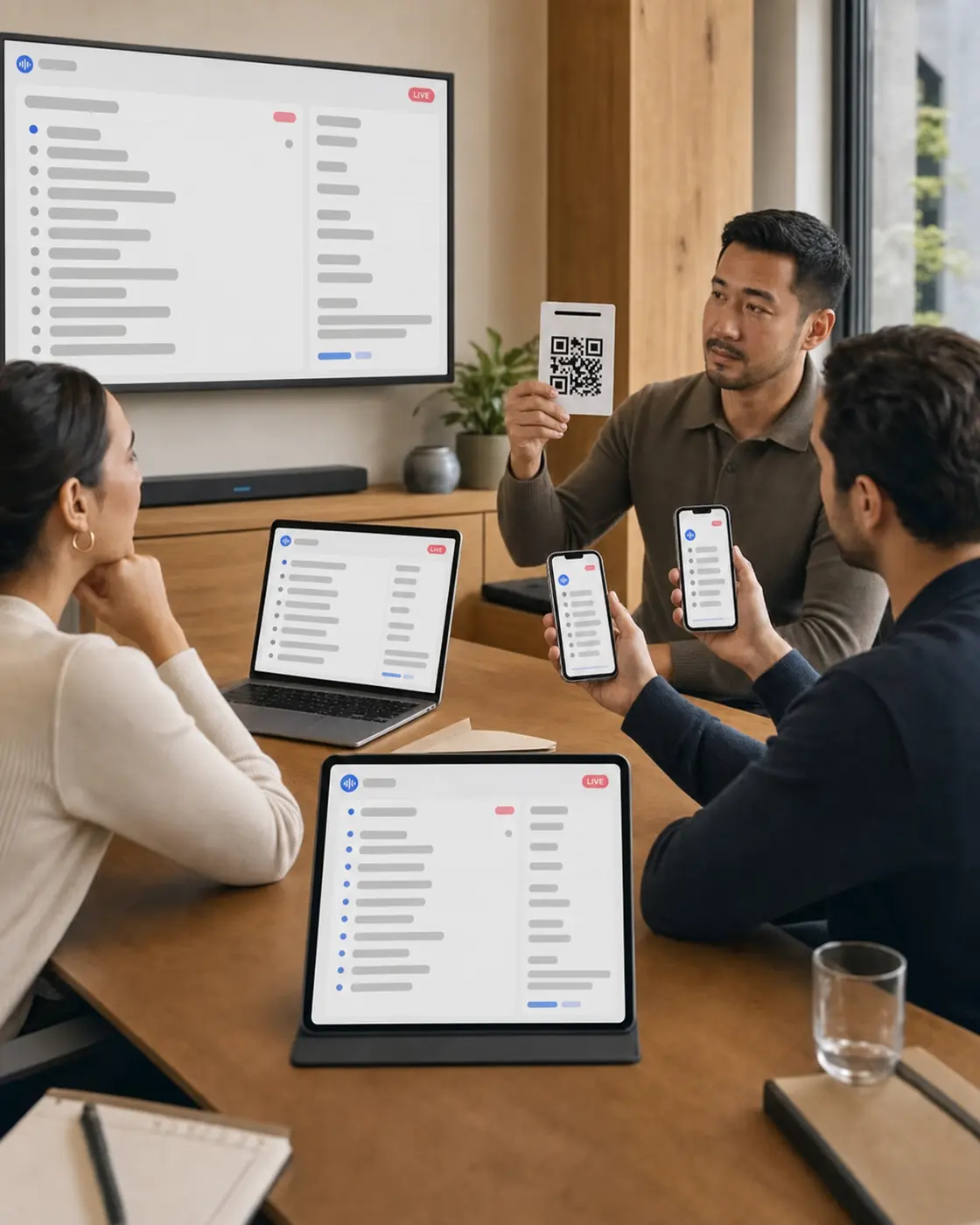
Start the TalkLens session and share the broadcast link or QR code. Participants can follow live captions and translation on their own devices, and you can provide a reviewed recap after the meeting.

TalkLens uses automated transcription and translation, which may contain errors. Always notify participants and obtain any consent required before recording. Privacy Policy

From discussion to a record people can use

01

Follow the conversation live

Use live captions when the room is noisy, the topic is unfamiliar, a speaker is difficult to hear, or you simply process information better in text.

02

Bridge language gaps

Translate the live captions as people speak so multilingual teammates can follow more of the discussion.

03

Leave with decisions and next steps

Get AI-generated notes with a summary, key points, and action items instead of starting a recap from a blank page.

04

Answer the question that comes up tomorrow

Ask the transcript questions such as "What deadline did we agree on?" or search for an idea even when you cannot remember the exact words.

Before, during, and after the meeting

The same three steps whether you are facilitating or taking part.

Before

Whether you are the facilitator or a participant, let everyone know you want to record and obtain any required consent. Open TalkLens in your browser and place the device where its microphone can clearly hear the room.

During

Follow the live captions on your own screen. If you are providing TalkLens to the group, share the live link or QR code. Turn on translation when it helps.

After

Review the transcript and AI notes, confirm important details against the audio, and send a read-only share link to teammates who need the recap.

Good fits

  • Team planning and project reviews
  • Client and vendor conversations
  • Design critiques and working sessions
  • Board and committee meetings
  • Multilingual face-to-face meetings
  • One-on-ones, with the other person's knowledge and consent

More than a transcript

The same product, whichever side of the room you are on.

Understand live

See captions and translation while the words are still being spoken — whether you started the session or joined someone else's.

Remember later

Keep the recording, transcript, summary, key points, action items, glossary, and review questions together.

Find the moment

Search by meaning, or ask questions about what was said.

Use it for yourself

Start TalkLens on your own device when no host-provided caption experience is available.

Bring others along

As the host, broadcast live captions or share a saved recording with a link.

Questions about meetings

Does TalkLens work for face-to-face meetings?

Yes. TalkLens can capture speech through a device microphone directly from the browser, so it is useful in a physical meeting room without inviting a bot to a call.

Can people read the captions on their own phones?

Yes. Share a link or QR code so participants can follow the live captions from their own devices.

What if the meeting organizer is not using TalkLens?

You can start your own permitted TalkLens recording and follow the live captions or translation on your device. You do not need an official meeting broadcast to use TalkLens for yourself.

Will TalkLens create meeting notes and action items?

Yes. After a recording, TalkLens generates a summary, key points, action items, glossary, and review questions. Automated notes may contain errors, so confirm important commitments and deadlines.

Can I search across old meetings?

Yes. Semantic search helps you find relevant moments by meaning, even if you do not remember the exact phrase that was used.

Do I need permission to record?

Recording laws and workplace policies vary. You are responsible for notifying participants and obtaining any consent or legal right required before recording.

Be fully present — whether you lead the meeting or join it

Bring live captions, translation, and a clear recap to the room — or simply to your own screen.

Free AI credits on signup. No card required.

Related use cases